
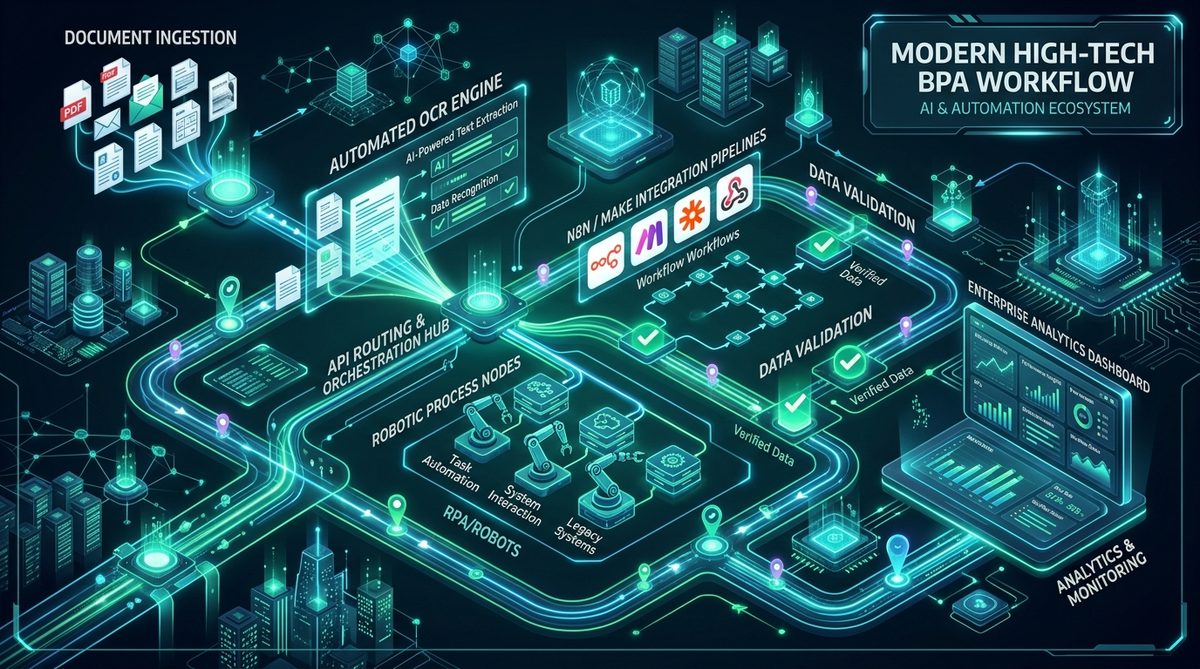
Most businesses approaching AI automation make one of two costly mistakes:
- They attempt to automate the most complex, subjective cognitive task in the company first (e.g., trying to have an AI negotiate complex sales contracts end-to-end), which fails predictably and burns budget.
- They buy bloated generic SaaS subscriptions that don't integrate with their existing ERP, CRM, or legacy databases, creating yet another manual data entry silo.
The reality of AI automation for business in 2026 is much simpler: The highest return on investment comes from eliminating repetitive, high-volume data transformation and routing tasks that currently drain hours from skilled employees.
In this guide, I share the exact prioritization matrix, architecture patterns, and real-world case studies I use when architecting automation pipelines for startups and enterprise clients.
1. The Automation Prioritization Matrix (Impact vs. Feasibility)
To decide what to automate first, map your business workflows onto a 2x2 grid based on Business Impact (hours saved or revenue accelerated) and Technical Feasibility (structured inputs vs. ambiguous human judgment).
  High Impact
       ▲
       │   [ 2. HIGH ROI / NEXT SPRINT ]      [ 1. QUICK WINS / START HERE ]
       │   • Customer support triage & RAG    • Multi-vendor invoice & PO extraction
       │   • Automated lead enrichment & CRM  • Automated statement reconciliation
       │   • Cross-system database syncing    • Standard email-to-ERP pipelines
       │
       │   [ 4. AVOID / HIGH RISK ]           [ 3. DETERMINISTIC SCRIPTS ]
       │   • Autonomous contract negotiation  • Daily scheduled CSV exports
       │   • Unsupervised code refactoring    • Webhook payload formatters
       │   • Fully automated hiring decisions • Slack alert notifications
       │
       └───────────────────────────────────────────────────────────────────►
      Low Feasibility (Complex/Ambiguous)          High Feasibility (Structured/Bounded)
The Golden Rule: Start in Quadrant 1 (Quick Wins)
Start with workflows that receive digital inputs (emails, PDFs, forms, webhooks), require deterministic rule validation, and output structured records into an existing software system (Salesforce, QuickBooks, Microsoft Dynamics 365, or PostgreSQL).
2. Before vs. After: Three Production Workflows
Here is what intelligent automation looks like in practice across three common business departments:
Case 1: Accounts Payable & Invoice Processing
- Before Automation:
- Vendor emails an invoice PDF.
- Accounts clerk opens the attachment, manually inspects vendor details, line items, taxes, and totals.
- Clerk logs into the ERP (e.g., Business Central), manually types 15 fields.
- Errors occur on currency conversions or handwritten notes; corrections take days.
- After Automation (AI + n8n + Multimodal LLM):
- Webhook detects incoming email attachment and routes PDF to a Python microservice.
- Multimodal Claude Sonnet 5 extracts all line items, tax numbers, and payment terms into verified JSON.
- Dynamic vendor validation rules verify totals and cross-check against existing purchase order numbers.
- High-confidence records (92%+) are automatically pushed into ERP.
- Exceptions (8%) are routed to a human review queue with pre-highlighted bounding boxes.
- Result: Processing time drops from 12 minutes per invoice to 15 seconds. Monthly capacity scales 10x without hiring additional staff.
Case 2: Inbound Lead Qualification & CRM Enrichment
- Before: Inbound contact forms sit in an email inbox for 6–18 hours before a sales rep researches the company and sends a response.
- After: Webhook triggers an automated pipeline:
- Domain enrichment retrieves company size, industry, tech stack, and LinkedIn data via API.
- An LLM evaluates lead intent against your ideal customer profile (ICP).
- Generates a personalized briefing note in your Slack channel and drafts an email in the sales rep's inbox ready for 1-click approval.
- Result: Lead response time drops to under 3 minutes; conversion rates increase significantly.
Case 3: Customer Support Ticket Triage & Knowledge Base RAG
- Before: Tier-1 support reps spend 60% of their day answering the same 20 repetitive questions about shipping, API keys, or refund policies.
- After: RAG-powered workflow reads incoming Zendesk/Intercom tickets:
- Evaluates ticket urgency and customer sentiment.
- Queries company documentation via vector search.
- Drafts an accurate, grounded reply citing internal documentation.
- For routine queries, auto-resolves with an option to escalate to human agent if the user replies.
3. The Tech Stack for Reliable Business Automation
Avoid monolithic proprietary automation tools with exorbitant vendor lock-in. A modern, maintainable automation stack consists of:
| Component | Recommended Tool | Why It Wins | | :--- | :--- | :--- | | Workflow Orchestration | n8n (Self-Hosted / Cloud) | Open, visual, supports custom JS/Python nodes, zero per-execution pricing when self-hosted, enterprise security. | | AI Extraction & Reasoning | Claude Sonnet 5 / GPT-4o | Vision capabilities for messy documents, structured JSON outputs, reliable reasoning. | | Custom Backend Logic | Python (FastAPI) / TypeScript | Fast data normalization, regex validation, PDF parsing, custom math verification. | | Database & Caching | PostgreSQL + Redis | Relational integrity for transaction logs, queue management, and idempotency keys to prevent duplicate executions. | | Human-In-The-Loop UI | Next.js 15 / Tailwind | Clean internal review portal where team members approve or edit edge-case extractions in 2 clicks. |
                              ┌────────────────────────┐
                              │ Incoming Email/Webhook │
                              └───────────┬────────────┘
                                          │
                                          ▼
                              ┌────────────────────────┐
                              │  n8n Orchestration Hub │
                              └───────────┬────────────┘
                                          │
                    ┌─────────────────────┴─────────────────────┐
                    ▼                                           ▼
         ┌─────────────────────┐                     ┌─────────────────────┐
         │ Python Vision Engine│                     │ Dynamic Vendor Rule │
         │  (Claude Sonnet 5)  │                     │   Markdown Lookup   │
         └──────────┬──────────┘                     └──────────┬──────────┘
                    │                                           │
                    └─────────────────────┬─────────────────────┘
                                          │
                                          ▼
                              ┌────────────────────────┐
                              │   Confidence Scoring   │
                              └───────────┬────────────┘
                                          │
                         ┌────────────────┴────────────────┐
                         │                                 │
                 (Confidence >= 90%)               (Confidence < 90%)
                         │                                 │
                         ▼                                 ▼
              ┌─────────────────────┐           ┌─────────────────────┐
              │ Push to ERP / CRM   │           │ Human Review Portal │
              │ (Salesforce / BC)   │           │   (Next.js HITL)    │
              └─────────────────────┘           └─────────────────────┘
4. Why Human-in-the-Loop (HITL) is Essential
A common trap is assuming automation must be 100% autonomous to be valuable.
If an automation is 90% accurate and fails silently 10% of the time, the business will abandon it within weeks due to distrust.
However, if an automation handles 90% of documents autonomously and automatically flags the remaining 10% of low-confidence edge cases for a 10-second human review, it delivers:
- Zero data corruption in core databases.
- 90% operational cost reduction.
- 100% trust from your operational team.
In my engineering at Venture7, implementing a confidence threshold routing layer turned an error-prone document parsing setup into a mission-critical platform processing 80,000 documents per month.
5. How to Get Started: The 2-Week Pilot Framework
If you want to introduce AI automation into your operations, follow this proven 2-week implementation schedule:
- Days 1–3: Process Discovery & Baseline Measurement Identify one high-volume repetitive workflow. Measure the exact hours spent per week, error rate, and software endpoints involved.
- Days 4–7: Microservice & Pipeline Development Build the extraction prompt, vendor rule logic, and orchestration pipeline in n8n or Python.
- Days 8–10: Parallel Testing Against Historical Data Run the automated pipeline on 500 past records. Compare output against human-entered data to tune prompt accuracy and threshold parameters.
- Days 11–14: Production Deployment with HITL Safeguards Deploy the workflow live with human review queues for edge cases. Monitor throughput and error logs.
Summary & Next Steps
AI automation is not about replacing your team—it is about removing the robotic, manual data entry so your team can focus on client relationships, strategy, and business growth.
Have a manual workflow costing your business hours every week?
I build custom, self-hosted and cloud AI automation pipelines for businesses worldwide. Check out my automation engineering services or message me on WhatsApp with your use case for an honest technical assessment.