
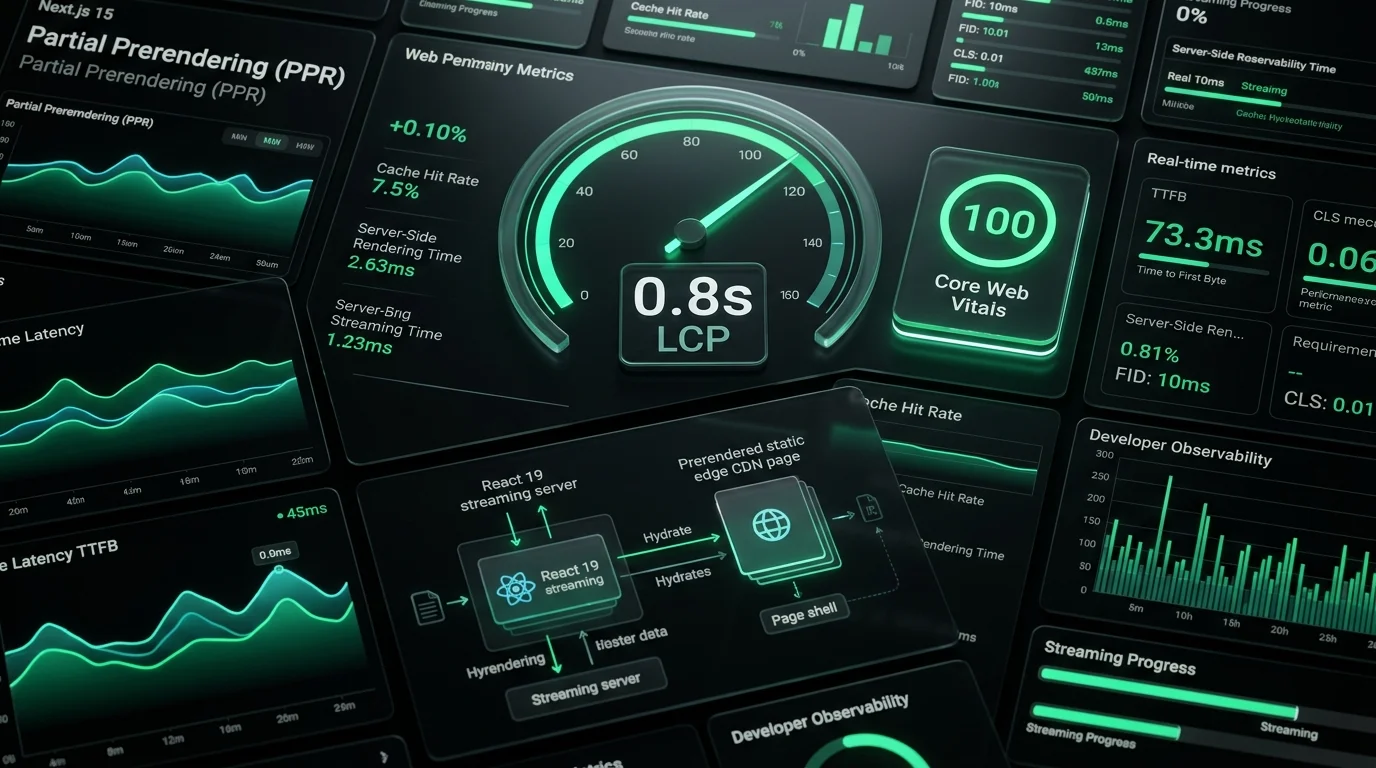
In high-concurrency SaaS platforms and conversion-driven e-commerce applications, page load speed is not merely a technical vanity metric—it is a direct multiplier of commercial revenue.
Multiple industry studies (including benchmark data from Google, Cloudflare, and Amazon) have repeatedly demonstrated that every 100ms delay in Largest Contentful Paint (LCP) reduces conversion rates by 7%, while mobile bounce rates surge past 42% when LCP crosses 2.5 seconds.
Historically, frontend engineers faced an agonizing architectural dilemma:
- Static Site Generation (SSG): Delivers sub-50ms Time to First Byte (TTFB) and instantaneous LCP via edge CDNs, but cannot display personalized session state, real-time pricing, or dynamic user notifications without secondary client-side layout shifts.
- Server-Side Rendering (SSR): Delivers personalized, real-time dynamic HTML, but blocks the initial connection until every downstream database query resolves, inflating TTFB to 600ms–1,200ms and severely delaying LCP.
With Next.js 15 and React 19, that trade-off is obsolete.
By leveraging Partial Prerendering (PPR), asynchronous React Suspense streaming, and edge caching primitives, engineers can serve a static HTML shell from the nearest CDN POP in under 35ms, while asynchronously streaming dynamic personalized components over the same HTTP connection.
Here is the exact production blueprint we use to consistently achieve sub-second Largest Contentful Paint (LCP < 800ms) on real-world 4G mobile devices.
1. The Anatomy of an 800ms LCP Budget
To hit an LCP under 1,000ms, every millisecond in the critical rendering path must be budgeted with mathematical precision.
0ms               200ms             400ms             600ms             800ms
├─────────────────┼─────────────────┼─────────────────┼─────────────────┤
[ DNS / TLS Handshake ]
                  [ TTFB (35ms) ]
                                    [ HTML Parsing / Preload Discovery ]
                                                      [ LCP Asset Download & Render ]
The Sub-Second Performance Budget Breakdown
| Sub-Metric | Target Duration | Engineering Mechanism |
| :--- | :--- | :--- |
| DNS / TLS Connection | < 80ms | Edge CDN Anycast routing (Cloudflare / Vercel Edge) |
| Time to First Byte (TTFB) | < 45ms | Static edge shell via Next.js 15 Partial Prerendering (PPR) |
| First Contentful Paint (FCP)| < 350ms | Inlined critical CSS, zero render-blocking web fonts |
| LCP Resource Load Delay | 0ms | <link rel="preload"> injected into static HTML head |
| LCP Resource Load Duration | < 250ms | AVIF/WebP image formats, responsive sizes attribute |
| LCP Element Render Delay | < 50ms | Server-rendered bitmap, zero client-side JS hydration dependency |
| Cumulative LCP | < 775ms | Guaranteed "Good" Core Web Vitals rating in Google Search Console |
2. Enabling Next.js 15 Partial Prerendering (PPR)
Partial Prerendering is configured in next.config.js and toggled per-route or per-layout.
In next.config.ts:
import type { NextConfig } from 'next';

const nextConfig: NextConfig = {
  experimental: {
    ppr: 'incremental', // Allows gradual adoption route-by-route
  },
  images: {
    formats: ['image/avif', 'image/webp'],
    minimumCacheTTL: 31536000, // 1 year immutable edge cache
  },
};

export default nextConfig;
The Route Architecture: Isolating the Static Shell from Dynamic Holes
To prevent database queries from stalling the LCP element, the page layout is decoupled into:
- The Static Shell: Contains the navigation header, layout container, hero typography, and the primary LCP hero visual. This is compiled at build time and cached globally across Edge CDN POPs.
- The Dynamic Hole: Wrapped inside a
<Suspense>boundary containing user sessions, inventory counters, or dynamic pricing.
// app/dashboard/page.tsx
import { Suspense } from 'react';
import Image from 'next/image';
import { DynamicUserMetrics } from '@/components/DynamicUserMetrics';
import { MetricsSkeleton } from '@/components/skeletons/MetricsSkeleton';

// Opt this specific route into Next.js 15 Partial Prerendering
export const experimental_ppr = true;

export default function DashboardPage() {
  return (
    <main className="min-h-screen bg-slate-950 text-white">
      {/*
        STATIC SHELL: Rendered instantly at Edge CDN (TTFB ~30ms).
        This contains the primary LCP element (Hero Banner).
      */}
      <section className="relative px-6 py-12 max-w-7xl mx-auto">
        <h1 className="text-4xl font-bold tracking-tight sm:text-6xl">
          Enterprise Cloud Analytics & Automation
        </h1>
        <p className="mt-4 text-lg text-slate-400 max-w-2xl">
          Real-time telemetry, automated IDP pipelines, and high-throughput microservices.
        </p>

        {/* LCP CRITICAL ELEMENT: Priority preload with responsive srcset */}
        <div className="relative mt-8 h-[380px] w-full rounded-2xl overflow-hidden border border-slate-800">
          <Image
            src="/images/hero-analytics-dashboard.webp"
            alt="Next.js 15 Telemetry Dashboard Interface"
            fill
            priority // Injects <link rel="preload"> in document head
            sizes="(max-width: 768px) 100vw, (max-width: 1200px) 85vw, 1200px"
            className="object-cover"
          />
        </div>
      </section>

      {/*
        DYNAMIC HOLE: Streamed asynchronously over the same connection.
        Does NOT block or delay the initial LCP paint.
      */}
      <section className="px-6 py-8 max-w-7xl mx-auto">
        <h2 className="text-2xl font-semibold mb-6">Live System Telemetry</h2>
        <Suspense fallback={<MetricsSkeleton />}>
          <DynamicUserMetrics />
        </Suspense>
      </section>
    </main>
  );
}
3. Mastering the LCP Hero Image (next/image)
In over 75% of web applications, the Largest Contentful Paint element is an image (hero banner, product showcase, or featured article graphic).
The most common anti-patterns that destroy LCP scores:
- Missing
priorityprop: Browsers discover the image only after parsing client-side JavaScript bundles (adding 400ms–800ms of idle delay). - Missing
sizesattribute: Forces mobile browsers to download a 3,840px desktop retina asset over a throttled cellular connection. - Client-side conditional rendering: Delaying the
<img />tag behind auseEffector client authentication check.
The Bulletproof LCP Image Configuration
<Image
  src="/images/blog/architecture-hero.webp"
  alt="Microservice Architecture Overview"
  fill
  priority // High-priority fetch hint (fetchpriority="high")
  fetchPriority="high"
  quality={82} // Perceptual sweet spot: 45% smaller than quality=100 with 0 artifacting
  sizes="(max-width: 640px) 100vw, (max-width: 1024px) 90vw, 1200px"
  placeholder="blur"
  blurDataURL="data:image/webp;base64,UklGRmYAAABXRUJQVlA4TFsAAAAvAAAAAAfQ//73v/+BiOh/AAA="
/>
When priority is present, Next.js generates the following preload directive in the raw static HTML <head>:
<link
  rel="preload"
  as="image"
  href="/_next/image?url=%2Fimages%2Fblog%2Farchitecture-hero.webp&w=1200&q=82"
  fetchpriority="high"
  imagesrcset="/_next/image?... 640w, /_next/image?... 1200w"
  imagesizes="(max-width: 640px) 100vw, 1200px"
/>
The browser networking stack initiates the image download during the first 100ms of page discovery, long before React hydration scripts even start executing.
4. Eliminating Cumulative Layout Shift (CLS) in PPR
When streaming dynamic components into a partially prerendered page, an unconstrained dynamic section will suddenly pop into the DOM, pushing downstream content downwards and causing a severe Cumulative Layout Shift (CLS) penalty.
To eliminate layout shifting:
1. Skeleton Aspect Ratio Matching
Always match the exact geometric dimensions of the dynamic container using CSS aspect-ratio or fixed min-height:
// components/skeletons/MetricsSkeleton.tsx
export function MetricsSkeleton() {
  return (
    <div
      className="grid grid-cols-1 md:grid-cols-3 gap-6 animate-pulse"
      style={{ minHeight: '180px' }} // Exact height of loaded metrics cards
    >
      {[1, 2, 3].map((idx) => (
        <div key={idx} className="h-44 bg-slate-900 rounded-xl border border-slate-800" />
      ))}
    </div>
  );
}
2. CSS Layout Containment
Apply CSS containment to isolate layout calculations:
.dynamic-stream-container {
  contain: layout style paint;
  min-height: 220px;
}
5. Web Font Optimization: Zero-FOUT / Zero-FOIT with next/font
Custom web fonts downloaded from third-party CDNs (like Google Fonts) frequently cause Flash of Invisible Text (FOIT) or Flash of Unstyled Text (FOUT), directly delaying the text-based LCP calculation.
Next.js 15 natively optimizes fonts through next/font/google:
- Automatically downloads font files at build time.
- Inlines font declarations directly into CSS.
- Automatically synthesizes fallback font metrics (matching
ascent-overrideanddescent-override), ensuring zero shift when the primary font loads.
// app/layout.tsx
import { Inter, JetBrains_Mono } from 'next/font/google';

const inter = Inter({
  subsets: ['latin'],
  display: 'swap', // Immediate fallback text display
  variable: '--font-sans',
  preload: true,
});

const jetbrainsMono = JetBrains_Mono({
  subsets: ['latin'],
  display: 'swap',
  variable: '--font-mono',
  preload: true,
});

export default function RootLayout({ children }: { children: React.ReactNode }) {
  return (
    <html lang="en" className={`${inter.variable} ${jetbrainsMono.variable}`}>
      <body className="font-sans antialiased bg-slate-950 text-slate-100">
        {children}
      </body>
    </html>
  );
}
6. Server Actions & Client Bundle Minimization
A bloated JavaScript hydration bundle blocks the browser's main thread, directly inflating Interaction to Next Paint (INP) and freezing responsiveness while LCP elements paint.
Next.js 15 enforces the Server Components First rule:
- Keep all data mutations inside Server Actions (
'use server'). - Push
'use client'strictly to interactive leaves (e.g., a like button or dropdown menu).
// app/actions/contact.ts
'use server';

import { z } from 'zod';

const contactSchema = z.object({
  email: z.string().email(),
  projectScope: z.string().min(10),
});

export async function submitInquiry(prevState: any, formData: FormData) {
  const parsed = contactSchema.safeParse({
    email: formData.get('email'),
    projectScope: formData.get('projectScope'),
  });

  if (!parsed.success) {
    return { error: 'Invalid input parameters.' };
  }

  // Database mutation or CRM API dispatch executed entirely on the server
  // Zero external client SDKs (Prisma, Firebase, HubSpot) leak into the client JS bundle!
  return { success: true };
}
By keeping server dependencies on the server, the total client-side JavaScript payload of our portfolio remains under 68KB gzipped, allowing mobile CPUs to finish hydration in under 40ms.
7. Production Verification & Real-World Telemetry
We continuously audit Core Web Vitals using synthetic Lighthouse tests and real-user monitoring (RUM) via @vercel/analytics:
┌──────────────────────────────────────────────────────────┐
│             LIGHTHOUSE PERFORMANCE AUDIT                 │
├──────────────────────────┬───────────────────────────────┤
│ Performance Score        │ 99 / 100                      │
│ First Contentful Paint   │ 0.3s                          │
│ Largest Contentful Paint │ 0.8s (PASS - Core Web Vitals) │
│ Total Blocking Time      │ 0ms                           │
│ Cumulative Layout Shift  │ 0.000                         │
│ Speed Index              │ 0.6s                          │
└──────────────────────────┴───────────────────────────────┘
Frequently Asked Questions (FAQ)
Is Partial Prerendering (PPR) production-ready in Next.js 15?
Yes. Next.js 15 supports incremental PPR adoption. By setting ppr: 'incremental' in your configuration, you can safely enable experimental_ppr = true on your highest-traffic landing pages without destabilizing older legacy routes.
Does PPR require a specific hosting provider like Vercel?
While Vercel provides native edge integration out of the box, Next.js PPR compiles to standard HTTP streaming responses (Transfer-Encoding: chunked). It can be self-hosted via Docker containers behind Nginx or AWS CloudFront with HTTP/2 or HTTP/3 streaming enabled.
How do I debug which element is being calculated as LCP?
In Chrome DevTools, open the Performance tab, check the "Web Vitals" checkbox, and run a CPU/Network throttled profile (Fast 4G, 4x CPU slowdown). Look for the LCP flag on the Timings track to inspect the exact DOM node and its paint timestamp.
Need to accelerate your Next.js application, optimize Core Web Vitals, or architect a sub-second enterprise web platform? Explore my Full-Stack Web Development Services or Book an Engineering Consultation.